Enhance Your Procreate Workflow with the Endure Procreate Color Palette
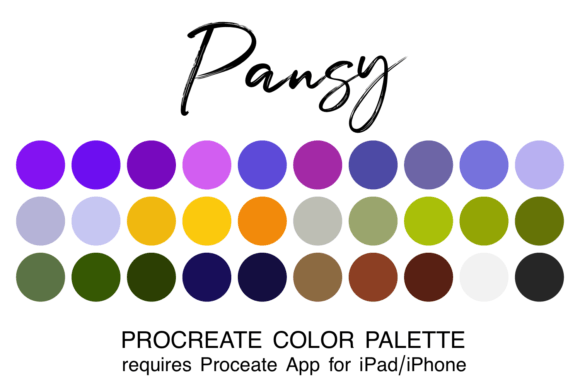
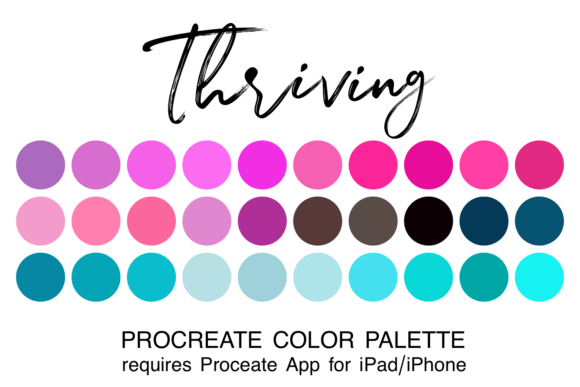
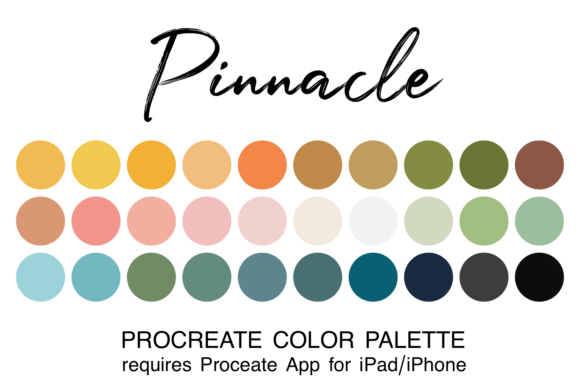
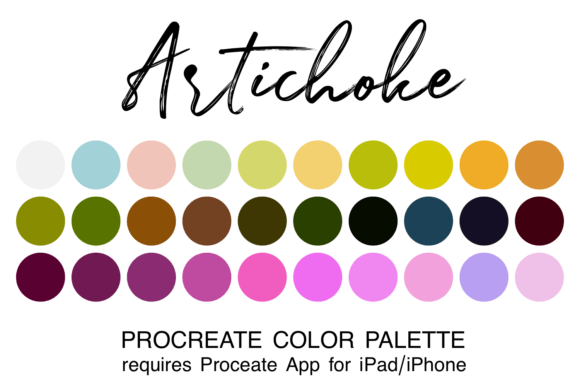
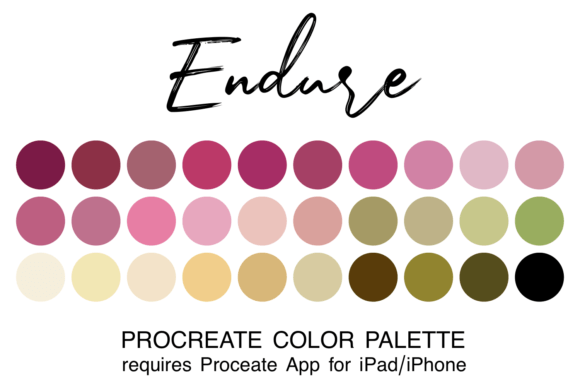
Creating digital artwork in Procreate becomes significantly more efficient and enjoyable when you have a cohesive, well-organized color palette at your disposal. The Endure Procreate Color Palette offers a curated selection of 30 colors in a single .swatch file, designed specifically for seamless integration into the Procreate app. By reducing the time spent selecting and testing colors, this palette allows you to maintain creative flow and focus more on the actual art-making process.
What the Endure Procreate Color Palette Offers
The Endure Procreate Color Palette is more than just a collection of hues—it’s a thoughtfully assembled set of colors that work well together across a variety of artistic styles and themes. Whether you're illustrating, lettering, designing characters, or creating concept art, this palette supports a consistent and professional color scheme that enhances visual harmony.
Each palette file is delivered in the .swatch format, which is native to Procreate. This ensures compatibility and ease of use, especially for artists who want to streamline their digital workflow without dealing with third-party conversions or adjustments.
How to Install and Access the Palette
For beginners, installing the Endure Procreate Color Palette is straightforward. Begin by downloading the zipped file to your iPad’s “Downloads” folder using the Files app. Once downloaded, unzip the file and tap the .swatch file directly. Procreate will automatically recognize and import the palette. The next time you open the app, you can access the palette by tapping the color dot in the top-right corner of your canvas screen and selecting it from your saved palettes.
You also have the option to set it as your default palette, ensuring it’s always ready for use in new projects. This small but powerful step can save time and reduce friction in your creative routine.
Using the Palette Across Your Creative Process
The Endure Procreate Color Palette can be integrated at various stages of your creative process. Before starting a project, it helps establish a color direction, reducing the need for mid-project palette adjustments. During the creation phase, it provides a consistent visual language, making it easier to match tones and maintain cohesion across layers and compositions.
For illustrators and designers working on long-form projects like comics, storyboards, or branding materials, maintaining color consistency is essential. The Endure palette supports this by acting as a reference point that can be reused across multiple files and sessions.
Even after completing a piece, the palette can be used for color grading or refining final touches. This flexibility makes it a valuable asset not just for creation, but also for revision and optimization.
Integration with Other Tools and Workflows
The Endure Procreate Color Palette works best when incorporated into a broader digital art workflow. For example, if you sketch in Procreate and then refine your artwork in Adobe Photoshop or Illustrator, having a consistent color base ensures smoother transitions between apps.
Additionally, if you use Procreate in conjunction with other design tools like Affinity Designer or Canva, keeping a unified color scheme across platforms can help maintain brand consistency—especially useful for marketers, small business owners, and content creators who produce visual assets across multiple mediums.
For educators or creators producing tutorial content, using a consistent palette like Endure simplifies the teaching process. It allows students or viewers to focus on technique rather than getting lost in color theory or selection challenges.
Practical Tips for Using the Endure Palette
- Set it as default for quick access in new projects.
- Customize it by duplicating the palette and adjusting a few colors to better suit specific themes or client needs.
- Organize your palettes by naming and grouping them in Procreate for easier retrieval.
- Use it as a learning tool to understand color harmony and value contrast by observing how the colors interact.
- Export and share the palette with collaborators to maintain consistency in team-based projects.
Considerations for Long-Term Use
One of the key benefits of the Endure Procreate Color Palette is its durability across projects. Because it’s built with a balanced range of light, mid, and dark tones, it adapts well to different lighting conditions and output formats—whether you're printing your artwork or sharing it digitally.
Over time, you may find yourself building a library of curated palettes tailored to different moods, seasons, or genres. The Endure palette serves as an excellent foundational piece in such a collection, offering both versatility and aesthetic coherence.
Why Workflow Integration Matters
For professionals and hobbyists alike, the ability to integrate tools like the Endure Procreate Color Palette into a structured creative workflow is crucial. It reduces decision fatigue, speeds up production, and supports a more intentional approach to color use.
Whether you're working on a tight deadline or exploring personal art projects, having a reliable color foundation allows you to channel more energy into composition, storytelling, and technical execution. In this way, the Endure palette becomes more than just a convenience—it becomes a productivity enhancer.
Final Thoughts on Using the Endure Palette
The Endure Procreate Color Palette is a practical resource for anyone looking to simplify their digital painting and illustration process. Its thoughtful color selection, compatibility with Procreate, and ease of integration make it a valuable addition to both casual and professional workflows.
By reducing the friction associated with color selection, this palette empowers artists to focus on what matters most: the creative process itself. Whether you're a seasoned illustrator, a digital marketer, or someone exploring digital art for the first time, the Endure palette offers a solid foundation for consistent, high-quality results.