50 Breakfast Procreate Stamps Brush: A Practical Guide for Digital Artists
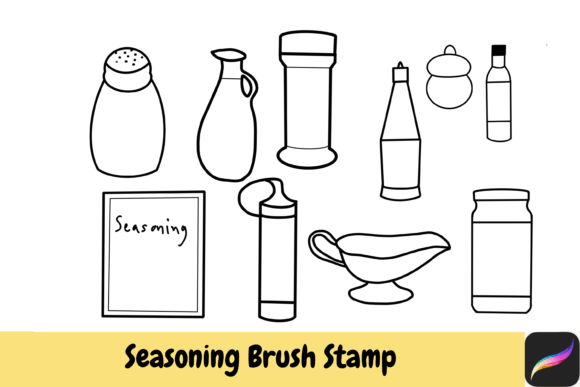
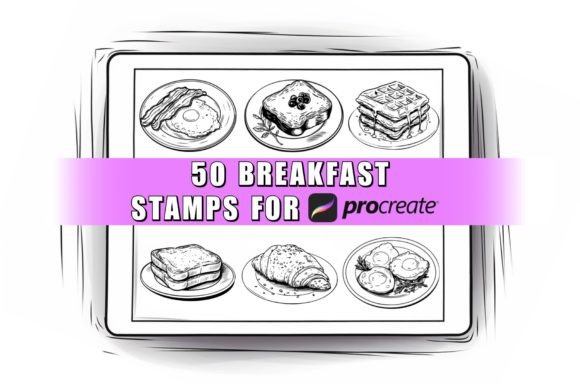
Creating a cohesive digital illustration of a morning scene often requires more than just freehand drawing skills. It demands a library of assets that can save time while adding professional texture and detail. The 50 Breakfast Procreate Stamps Brush set is designed specifically to fill this gap for iPad creators. This collection offers fifty distinct designs ranging from steaming cups of coffee and fluffy pancakes to fresh fruits and pastries, all packaged into a single brush file ready for immediate use within the Procreate app.
However, simply purchasing a brush set does not guarantee a successful project. Many artists, from beginners to seasoned professionals, make critical errors when integrating stamp brushes into their workflow. These mistakes often lead to disjointed artwork, wasted time, or frustration with the tool itself. Understanding how to properly evaluate, import, and utilize these assets is essential for getting the most out of your investment.
Understanding the Tool Before You Buy
The primary function of the 50 Breakfast Procreate Stamps Brush is to provide instant, high-quality elements without the need for tedious manual rendering. Each stamp acts as a pre-drawn image that you can place onto your canvas with a single tap. This efficiency is invaluable for creating storyboards, social media graphics, meal planners, or commercial illustrations where consistency and speed are paramount.
A common misunderstanding among new users is assuming that "brush" implies a pressure-sensitive drawing tool like a pencil or marker. This specific set consists of stamps. They are not pressure sensitive. While this might sound limiting, it is actually a feature that ensures every pancake looks perfectly round and every coffee cup maintains its shape regardless of how hard you press. You can use them with an Apple Pencil, a third-party stylus, or even your finger. The lack of pressure sensitivity means the focus shifts entirely to placement, layering, and color adjustment rather than stroke dynamics.
Common Pitfalls in Digital Asset Acquisition
One of the most frequent errors artists make is overlooking the platform compatibility before making a purchase. The 50 Breakfast Procreate Stamps Brush is exclusively designed for the Procreate application on Apple iPad. If you are working on a Windows tablet, an Android device, or using desktop software like Photoshop or Clip Studio Paint, this file will not work. Attempting to force a Procreate-specific .brushset file into other programs often results in corruption or total failure to load.
Another significant oversight involves the nature of the product itself. Because this is a digital download, there are no physical items shipped to your door. Some buyers mistakenly expect a printed guide or a physical CD. It is crucial to remember that once the download is complete, the transaction is final. Digital items generally cannot be returned or refunded due to the ease of copying files. Therefore, verifying your device's compatibility and your ability to install .brushset files should happen before you click the buy button.
The Trap of Color Consistency
Even after successfully importing the 50 Breakfast Procreate Stamps Brush, artists often struggle with color fidelity. A common complaint is that the colors look different on the artist's screen compared to what they see on a client's monitor or in print. This is not necessarily a flaw in the brush set but a fundamental reality of digital displays. Monitors vary widely in brightness, contrast, and color calibration.
To avoid dissatisfaction, do not rely solely on your personal screen for final color decisions. Use the built-in opacity and blending modes in Procreate to adjust the stamps to match your specific lighting environment. Since these stamps allow you to change the color, size, and opacity of each element, you have full control to adapt them. However, if you are designing for print, always check the CMYK conversion of your final design before sending it to a printer, as vibrant RGB breakfast colors may appear duller in physical form.
Optimizing Your Workflow with Stamp Brushes
The true power of the Procreate Breakfast Breakfast Stamps lies in how they are integrated into a larger composition. A common mistake is placing stamps directly onto a flat background without considering perspective or lighting. This creates a "sticker" effect where the food items look pasted on rather than part of the scene.
To achieve a professional look, treat these stamps as base layers. After placing a stamp, such as a bowl of cereal, add new layers above it to introduce shadows, highlights, and reflections. If your scene has light coming from the left, paint soft shadows on the right side of the stamp. This simple step transforms a generic asset into a custom element that feels organic to your illustration.
Variety is another area where artists often stumble. With fifty different designs available, the temptation is to use every single one in a single piece. This can lead to visual clutter and a lack of focus. Instead, curate your selection. Choose three or four complementary items that tell a specific story. For example, pair a coffee cup, a croissant, and a newspaper for a classic morning routine, rather than mixing sushi, donuts, and steak in the same frame unless you are aiming for a surreal collage.
Legal and Ethical Usage Guidelines
Before incorporating the Kitchen Set of 50 Procreate Breakfast stamps into any project, it is vital to understand the licensing terms. This set is typically licensed for both personal and commercial use, which is excellent for freelancers, bloggers, and small business owners looking to create marketing materials or sell art prints. You are free to use these assets to generate income through your own creative work.
However, there are strict boundaries regarding redistribution. You cannot resell the brush file itself, share the download link, trade it with others, or claim the designs as your own original creations. Doing so violates the creator's intellectual property rights and undermines the value of digital art resources. If you wish to offer similar tools to your audience, you must create your own brush sets or purchase a license that explicitly allows for resale, which is rare for standard asset packs.
Final Checklist Before Downloading
To ensure a smooth experience and high-quality results, run through this quick checklist before finalizing your decision:
- Device Check: Confirm you have an Apple iPad with the Procreate app installed.
- Installation Knowledge: Ensure you know how to import .brushset files (usually by tapping the icon in the email or cloud storage).
- Project Scope: Verify that the style of the stamps matches your intended aesthetic (e.g., hand-drawn, watercolor, or vector-style).
- Licensing Needs: Double-check that the license covers your specific commercial intent, especially if you plan to use the images in large-scale advertising.
- Color Management: Be prepared to adjust colors manually to fit your specific project palette.
By approaching the 50 Breakfast Procreate Stamps Brush with a clear understanding of its capabilities and limitations, you can significantly enhance your digital art workflow. Avoid the common traps of incompatibility and poor integration, and instead, leverage these tools to create vibrant, engaging breakfast-themed designs that stand out. Whether you are sketching a quick meal plan or illustrating a cookbook cover, the right preparation ensures that your digital kitchen is always stocked with the best ingredients for success.